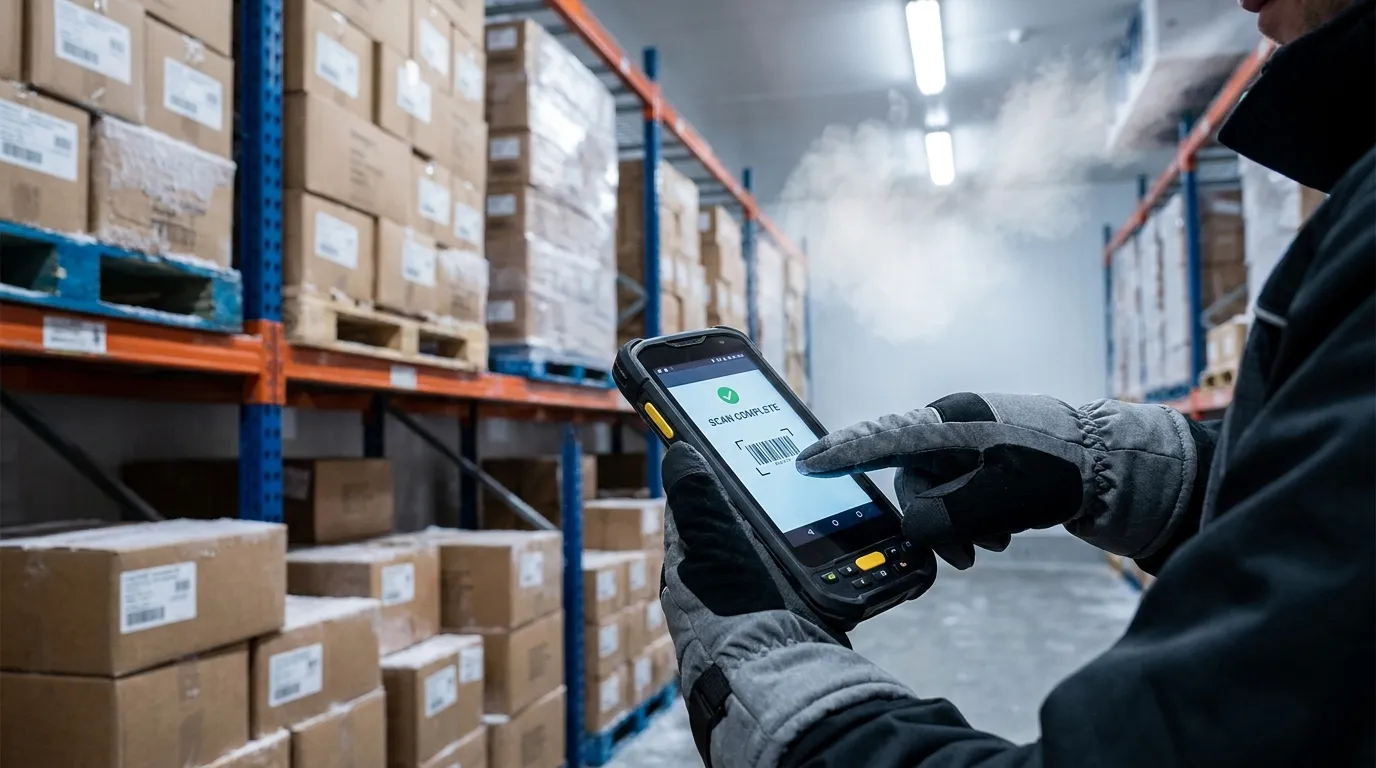
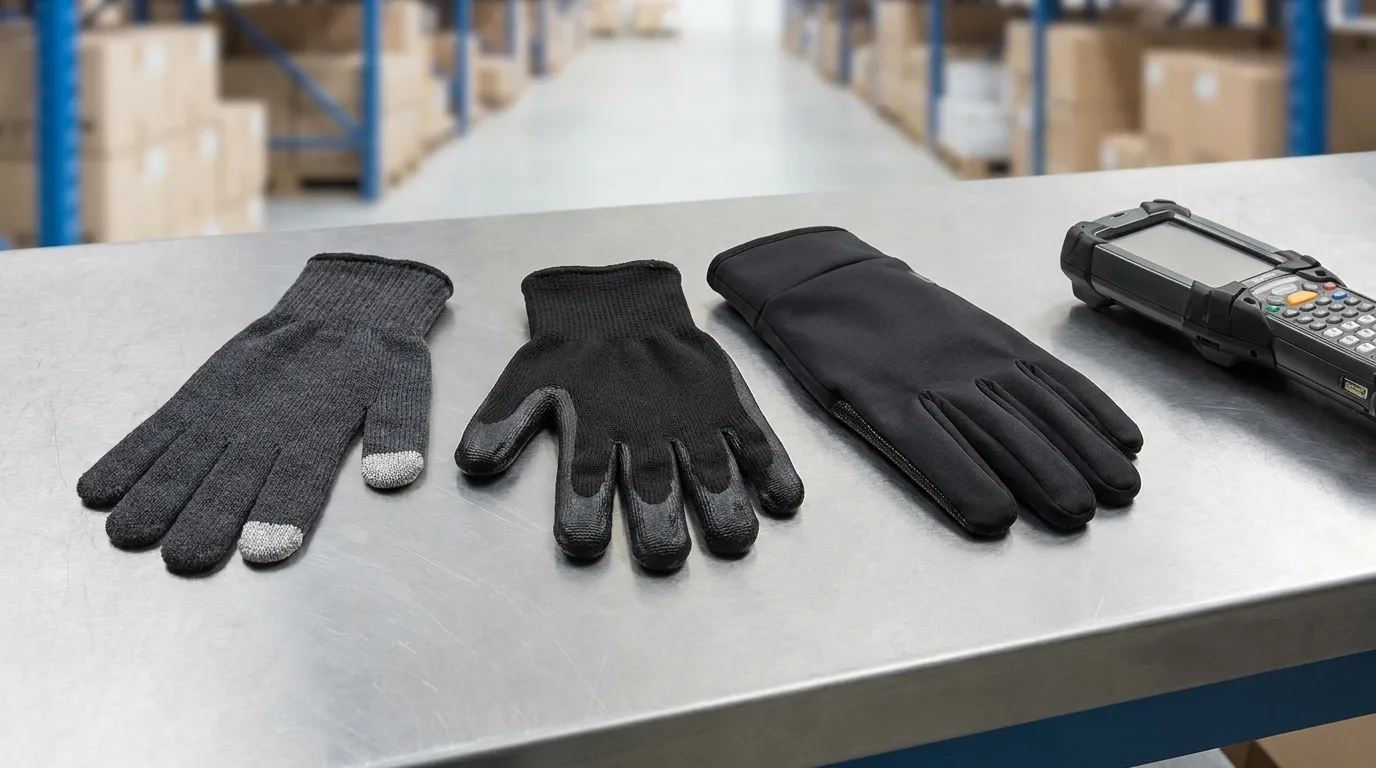
Touchscreen winter gloves work best for scanner teams when they balance conductive contact, fingertip fit, warmth, and grip. For distribution centers, test three options first: conductive-fingertip thermal liners, PU-coated touchscreen fingertips, and full-finger conductive shells. The best choice is the glove that keeps hands warm while reducing missed taps, delayed confirmations, and wet-dock slip risk.
Cold hands slow warehouse work fast. So do gloves that miss scanner taps, slide on damp cartons, or force workers to remove PPE between scans. For a distribution center using handheld scanners year-round, the right glove is a work tool, not a comfort extra. The goal is simple: keep workers warm enough to stay focused while helping them scan, confirm, swipe, and move without fighting the screen.
Do touchscreen winter gloves actually work on handheld scanners?
Touchscreen winter gloves can work on handheld scanners when the scanner uses a capacitive screen and the glove has conductive material at the real touch point. Fit, fingertip bulk, moisture, and screen sensitivity decide whether taps feel instant or delayed.
Most modern phone-style scanner screens use capacitive touch. That means the screen responds to electrical contact from a finger. A normal insulated glove blocks that contact, so touchscreen gloves add conductive fibers, coatings, or fingertip materials to carry the touch signal through the glove. The North Face explains this same basic smart-touch principle.
Scanner type matters too. Some handheld scanners use a touchscreen, some use physical keypads, and some combine both. If your workers only press physical buttons, touchscreen performance is less critical. If they tap confirm buttons, scroll pick lists, or sign on-screen, glove response becomes part of daily productivity.
Before buying in bulk, test the glove on the actual scanner model. A glove that works on a phone may still feel slow on a warehouse screen with smaller icons, worn screen protectors, cold plastic housing, or damp glove tips.
Why do some touchscreen winter gloves feel slow or inaccurate?
Slow touchscreen response usually comes from poor fingertip fit, thick insulation, weak conductive coverage, or moisture. A glove can work on a phone but still feel delayed on a handheld scanner with smaller buttons and faster task cycles.
Touchscreen delay is usually a practical problem, not a mystery. The worker taps once, the scanner doesn’t respond, then they tap again. Over a full shift, those missed taps turn into frustration, slower confirmations, and more glove removal.
The warmest glove is not always the best scanner glove. It works when workers mostly tap large buttons, but a slimmer conductive liner is better for fast pick-confirm-swipe tasks that need precision.
Which touchscreen winter glove should a distribution center test first?
Start with three samples: one conductive-fingertip thermal liner, one PU fingertip or palm-coated touchscreen glove, and one full-finger conductive shell. Test them on the actual scanner before choosing, because material claims do not predict workflow accuracy alone.
A distribution center should not start with the thickest glove or the most expensive glove. Start with one sample from each touchscreen design family. This gives supervisors a fair comparison between warmth, touch accuracy, grip, and worker comfort.
If workers also handle sharp carton edges, banding, or blades, review cut touchscreen gloves before treating touch response as the only requirement. Scanner use matters, but it doesn’t remove the need for task-level hand protection.
Glove type
Best fit
Strength
Watch-out
Conductive-fingertip thermal liner
Indoor picking, cold rooms, scanner-heavy work
Good dexterity and lighter touch
May lack wet grip or high protection
PU-coated touchscreen fingertip or palm
Receiving, packing, damp carton handling
Better grip and more work-glove feel
Coating thickness can reduce tap accuracy
Full-finger conductive shell
Scrolling, typing, multi-screen scanner tasks
More touch zones across the hand
May cost more and need durability testing
PU-coated touchscreen fingertips are often the middle option for logistics teams. They can help with grip while keeping touch function at the main contact points. Still, the coating has to pass a scanner test because thick or stiff fingertips can slow response.
Full-finger conductive shells are useful when workers scroll, type, pinch, or rotate the scanner during tasks. They’re often unnecessary for simple confirm buttons if thumb-and-index fingertips already work well.
How should you test scanner response delay before buying in bulk?
Test scanner delay by having workers complete the same scan-confirm-swipe sequence with each glove sample, then record missed taps, double taps, and average confirmation time. The best glove is the one workers keep on while maintaining scan speed.
A 10-minute test can prevent a bad bulk order. Use your real handheld scanner, your normal screen protector, and the same workflow workers use on the floor. If the test happens only on a manager’s phone, it won’t show the real issue.
Choose three glove samples in the correct size range.
Ask one worker to complete 20 scan-confirm-swipe cycles with each sample.
Repeat with a second worker who has a different hand size.
Test once dry, once cold, and once with lightly damp glove contact.
Record missed taps, double taps, dropped grip concerns, and comfort comments.
Glove sample
Dry tap success
Cold tap success
Damp tap success
Missed taps per 20 scans
Double taps per 20 scans
Grip confidence
Pass or fail
Conductive fingertip liner
PU-coated touchscreen glove
Full-finger conductive shell
For a cold-room picker doing 200 scans per hour, even small delays matter. If one sample causes more than 2 missed taps in 20 scan cycles, retest it with another size. If it still fails, reject it or change the scanner screen layout before rollout.
What changes for touchscreen winter gloves in wet-cold outdoor logistics?
In wet-cold logistics, choose water-resistant insulation and reliable grip before chasing maximum touchscreen sensitivity. A glove that taps well indoors but absorbs water can slow workers, increase discomfort, and make scanners harder to hold safely.
Outdoor docks, yard checks, and cold-chain receiving add water to the problem. A glove may pass indoor scanner testing, then struggle when the shell gets damp or the worker handles wet cartons. Wet glove surfaces can also make the scanner harder to hold, even when the screen still responds.
Cold-stress guidance from OSHA and NIOSH points to a practical rule: keep workers dry and protect hands in cold conditions. For glove selection, that means water resistance, dry backups, and grip deserve real attention.
Scenario
Better choice
Avoid
Dry indoor picking
Conductive thermal liner
Overly bulky freezer glove
Wet dock loading
Water-resistant PU or coated touchscreen glove
Absorbent knit shell
Outdoor yard scanning
Insulated shell with reliable grip
Thin liner with no weather barrier
Cold-chain receiving
Thermal glove with damp-grip coating
Smooth palm with weak hold
Electronics cold handling
Task-specific ESD glove review
Assuming all conductive gloves control ESD
A wet dock loader needs a different glove than an indoor picker. If workers handle damp cartons during inbound receiving, water-resistant grip may matter more than ultra-thin touch sensitivity. Keep spare dry gloves available when shifts move between inside and outside work.
When is full-finger touchscreen control worth it?
Full-finger touchscreen control is worth it when workers use more than one finger to type, scroll, zoom, or move through scanner screens. If the job is only scan and confirm, thumb-and-index touchscreen compatibility may be enough.
This is where many buyers overpay. Full-finger conductive shells feel attractive because every finger can touch the screen. That helps with complex screens, signature capture, inventory lookup, or devices that get rotated between hands. It’s less useful when the scanner workflow uses one large confirm button.
Workflow
Best touchscreen coverage
Scan and tap one confirm button
Thumb and index may be enough
Scroll pick lists often
Thumb, index, and middle finger help
Type item notes or exceptions
Full-finger control is better
Use scanner with either hand
Full-finger or wider conductive zones help
Wear glove under another shell
Conductive liner may be better
Full-finger conductive shells are useful for complex screen navigation, but they are overkill for simple confirm taps if thumb-and-index fingertips pass the scanner test. Put the money into better fit, warmth, and grip first.
What protection features should not be sacrificed for touchscreen use?
Do not choose touchscreen performance alone. If workers handle cartons, pallets, straps, metal edges, or wet packages, the glove still needs the right cut, impact, coating, and grip features for the job.
Touchscreen function solves one problem. It does not solve every hand hazard in a warehouse. If workers scan while opening cartons, cutting wrap, pulling straps, or moving pallets, the glove still needs protection for that task.
This is where the broader glove program matters. Use the cut resistant glove selection guide for deeper cut-risk decisions instead of repeating the full topic here. Touchscreen use should fit the hazard assessment, not replace it.
Cut risk from carton edges, strapping, knives, or metal parts
Impact risk in receiving, loading, or pallet handling
Grip needs for damp cartons, plastic wrap, or scanner handles
Insulation needs by indoor, freezer, dock, or yard zone
ESD needs for electronics handling
Touchscreen conductivity is also not the same as ESD control. If the work involves electronics, sensitive parts, or controlled areas, review ESD glove basics before assuming a conductive fingertip is enough.
Which glove should you choose by task zone?
Choose the glove by work zone, not by a single product claim. The same facility may need one glove for indoor picking, another for wet docks, and another for mixed carton and blade tasks.
Use this table as a first pass, then confirm with the scanner response test. If your team handles semiconductor or electronics shipments, add an environment-specific review such as ESD wafer gloves before rollout.
Task zone
Scanner action
Cold or wet exposure
Best material option
Protection add-on
Avoid
Indoor picking
Scan and confirm
Mild cold, dry air
Conductive-fingertip thermal liner
Light grip coating if needed
Thick glove with loose fingertips
Cold room
Scan, scroll, confirm
Steady cold
Slim insulated touchscreen glove
Longer cuff or liner system
Warm glove that misses taps
Freezer staging
Scan less often, move fast
Severe cold
Warmer insulated shell with tested touch zones
Spare dry gloves
Thin touch liner alone
Wet dock
Scan and handle damp cartons
Cold plus moisture
PU-coated touchscreen glove
Water resistance and grip
Absorbent knit glove
Outdoor yard
Scan pallet labels
Wind, drizzle, cold housing
Water-resistant conductive shell
High-grip palm
Smooth palm shell
Mixed carton and blade work
Scan, cut, move boxes
Varies by zone
Touchscreen glove with cut protection
Cut rating review
Touch-only glove with no hazard fit
For cleanroom or controlled environments, do not treat winter logistics gloves as a match by default. Review cleanroom glove limits when contamination control or ESD rules apply.
What should the purchase checklist include before rollout?
A good rollout starts with samples, not a catalog claim. Buy enough pairs to test real scanner work across sizes, zones, and shift conditions before ordering for the whole team.
Test each glove on the actual handheld scanner model
Run 20 scan-confirm-swipe cycles per sample
Check dry, cold, and lightly damp performance
Record missed taps and double taps
Confirm grip on scanner handles and cartons
Validate size range for snug fingertips
Review cut, impact, coating, ESD, and cold needs by task
Ask workers if they would keep the glove on for the full task
For mixed scanner and carton work, compare scanner-ready cut gloves during the same trial. A glove that workers remove to scan or remove to cut has already failed the workflow test.
What to Do Next
The right touchscreen winter gloves should pass your scanner test before they pass your purchasing process. Start with three material types, test them in the real task zone, and reject samples that cause repeated missed taps, poor grip, or glove removal. For cold indoor picking, prioritize fingertip fit and response. For wet docks or outdoor logistics, add water resistance and grip. Then connect the final choice back to your cut, impact, coating, and ESD requirements before buying in bulk.
Frequently Asked Questions
What kind of gloves work on touch screens?
Gloves with conductive fingertips, conductive coatings, or conductive fibers can work on touchscreens. The material must help the screen register touch through the glove, and the fingertip must fit snugly enough for accurate taps.
How do touchscreen gloves work?
Touchscreen gloves work by letting electrical contact pass through the glove at the touch point. Capacitive screens normally respond to bare skin, so the glove needs conductive material to mimic that contact.
What material is warmest for gloves?
Warm glove liners usually use wool, fleece, sherpa, or synthetic insulation. For scanner work, the warmest glove is not always the best if it becomes too bulky for accurate taps.
Can you wash touchscreen gloves?
Some touchscreen gloves can be washed, but it depends on the material and coating. Leather and coated gloves often need gentler care, while some knit or synthetic gloves may allow machine washing.
Are waterproof touchscreen gloves better for warehouses?
Waterproof or water-resistant touchscreen gloves are better for wet docks, outdoor yards, and cold-chain receiving. For dry indoor picking, a thinner thermal touchscreen glove may give better scanner accuracy.
Should scanner workers use full-finger touchscreen gloves?
Full-finger touchscreen gloves help when workers scroll, type, pinch, or rotate the scanner during tasks. For simple confirm buttons, thumb-and-index compatibility may be enough if fit and response are reliable.
Can I make normal winter gloves touchscreen compatible?
Normal gloves can sometimes be modified with conductive thread or coating. For industrial scanner teams, purpose-built touchscreen work gloves are safer to test because DIY changes can affect durability, waterproofing, and consistency.